
Make the display actionable
Let people near a WiFi-enabled media site connect and open the campaign destination. Link the physical message to a useful mobile offer, service page or app download.
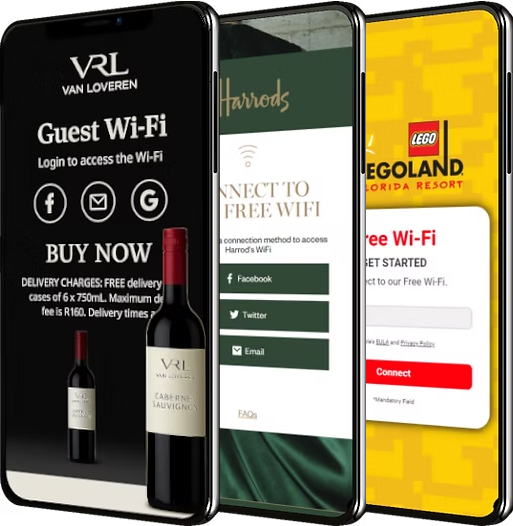
Add Guest WiFi to out-of-home media such as billboards and wall murals. A branded sign-in gives people a way to respond, choose follow-up and continue a campaign on their phone.
 View image
Let people near a WiFi-enabled media site connect and open the campaign destination. Link the physical message to a useful mobile offer, service page or app download.
Capture contact details through branded sign-in on Capture or Engage. Separate marketing consent from access so a passer-by chooses whether to hear from the advertiser again.
Supported location analytics report passing traffic, dwell time and movement between coverage zones. Use these patterns to compare activity around sites without treating every detected device as a person who viewed the advert.
Consumers are approximately 48% more likely to click a mobile advert after prior physical out-of-home exposure for the same brand. The figure describes cross-media audience behaviour.
Out-of-home (OOH) advertising reaches people in public places. WiFi provides a response channel; site infrastructure and compatible location measurements determine what you can deliver and measure.
Match the sign-in and destination content to the billboard or mural campaign. Advertising and sponsorship placements create a commercial route alongside public access; Beyond configures the content and journey within the agreed campaign scope.
Engage supports selected, personalised follow-up based on visitor data and interests. Linking exposure to advertising systems or mobile retargeting is a separately scoped integration, not an automatic outcome of switching on WiFi.
Passing traffic uses device signals, dwell measures time in range, and zone transitions describe movement across coverage. Randomised device addresses and radio coverage affect observation; the report is location insight rather than an exact advert-view count.
Check power, the site’s internet connection, WiFi coverage and where people can safely use the connection.
Beyond configures the branded portal, campaign destination, consent and supported integrations.
Review supported traffic, dwell and zone reports alongside campaign responses in your own systems.
Use Guest WiFi for public access. Capture adds consented first-party contacts; Engage adds personalised access and follow-up. Outdoor connectivity, location compatibility and media-owner agreements are part of delivery scope.
Yes. The solution includes both, provided the site has a suitable network, power and internet connection. Beyond plans the access footprint around the media location.
No. Location reports describe supported device observations around coverage zones. An advert view and an opted-in campaign response are different measures.
The access and marketing choices are separate. Capture or Engage collects contact information through the selected journey; follow-up uses the visitor’s marketing permission.
Tell Beyond about your venue and the outcome you want. We will arrange a demonstration and discuss the configuration and delivery scope.