
Show arrivals the right registration destination
Open current requirements, course information and orientation links in the branded Guest WiFi welcome. Visitors can find practical instructions before asking the information desk to repeat them.
Beyond’s Guest WiFi opens registration and course resources, records programme enquiries and sends requested updates. Teaching teams reconnect through college work accounts; remove leavers without resetting the password across teaching sites.
Registration and orientation bring new people onto campus who need practical guidance. College teams need manageable access across changing staff roles and multiple teaching sites.
Open current requirements, course information and orientation links in the branded Guest WiFi welcome. Visitors can find practical instructions before asking the information desk to repeat them.
Capture records programme interests and visitor communication choices. Engage sends relevant registration, open-day and further-study information, rather than one generic campaign to every visitor.
Teaching and administration employees enrol once and supported devices reconnect across authorised sites. When a colleague’s work account loses access, revoke their WiFi without changing everyone else’s credentials.
Guest WiFi opens useful resources and records the follow-up visitors choose. Staff WiFi uses existing work accounts: enrol once, reconnect automatically and end access without changing colleagues’ passwords.
Guest WiFi opens course, registration and orientation links at sign-in. Capture records the programme interests visitors choose to share, and Engage sends relevant follow-up.
A prospective learner opens vocational programme information during a visit and requests the next registration update.
Staff WiFi connects teaching and administration employees through their existing work accounts and saves the WiFi setup on each supported device. After enrolment, devices reconnect automatically across authorised college sites. When a colleague’s work account loses access, their WiFi ends without changing anyone else’s password.
An administrator visits two college sites with the same enrolled work device.
Show resources when people connect, record their interests and use the right data for offers, feedback and operational reporting. These applications explain what your team can do with the connection.
Give prospective learners, students and visitors a relevant welcome and collect the information useful to their journey. Staff WiFi uses employee work accounts that start and end WiFi access, while Guest Capture builds opted-in visitor and programme-enquiry records.
Show timetables, library tools and campus bookings in the relevant welcome. New arrivals find the right resources without another information-desk or helpdesk request.
Use configured messages for programme updates, announcements and links to safety information. Guest Surveys on Capture or Engage gathers feedback alongside your established campus communications.
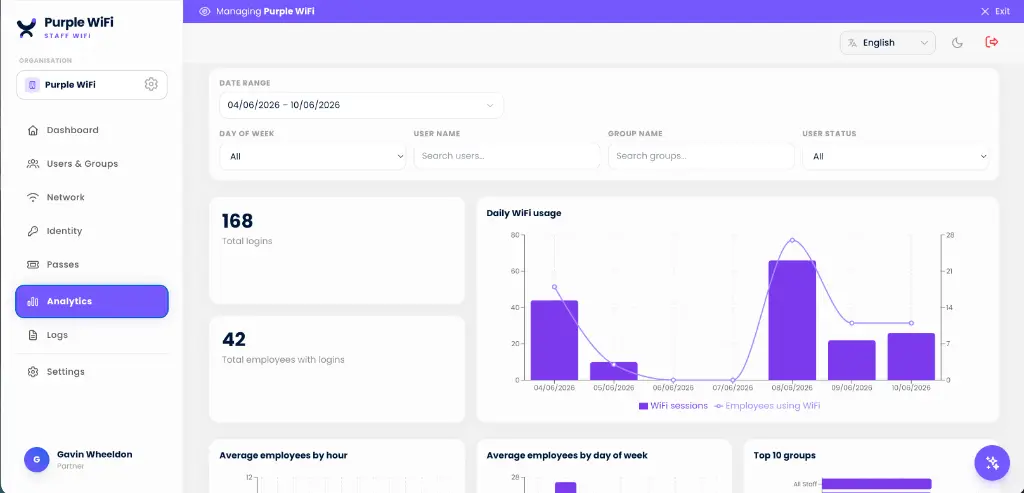
WiFi analytics shows usage across configured workshops, teaching buildings and public areas. Use the reports to inform coverage, capacity and space planning.
Build a branded journey around registration and orientation, with maintained maps, programmes and useful service destinations. Help new arrivals find their first resources and returning users reach them again.
Capture opted-in interest in vocational programmes, further study and open days. Engage sends relevant information and invitations so your team can continue the conversation after the visit.
For halls and residences, our Student Accommodation solution uses Multi-Tenant WiFi to keep each student’s devices in a private network on shared infrastructure. Campus Guest and employee Staff access serve their separate audiences.
Shield blocks ads, trackers, malicious domains and unwanted content categories on Guest WiFi and Staff WiFi. Pages load up to 3.5× faster and up to 40% less data is downloaded, with filtering set around your user groups and requirements.
Beyond links the staff directory, maintained student-service resources and opted-in course enquiries to your existing tools. Workshop and building usage reports help the facilities team plan around connection demand.
Beyond configures the visitor welcome and connects staff work accounts to WiFi enrolment and removal. Where private device groups are needed, give each person or tenant group its own credentials.
Send visitor interests and communication choices to your customer tools. Connect employment or tenancy changes to access, using available connectors or a custom integration for the defined workflow.
Train colleagues to manage sign-in, onboarding and access changes. Use reports to understand connections and demand, with the ongoing management service agreed for your venue.
400+ connectors help connect WiFi to business tools. Where a native connection is unavailable, Beyond defines the workflow, compatibility and cost before building a custom integration.
Explore Beyond ConnectivityConnect gives visitors a branded sign-in. Capture records the details and choices they share. Engage sends personalised follow-up and offers. Staff WiFi and private Multi-Tenant device networks are separate products.
The free Guest WiFi plan gives visitors a branded welcome and network-usage analytics. Splash pages support over 25 languages, helping different audiences understand how to get online.
Explore ConnectCollect first-party contact details with clear communication choices and pass useful data to your customer relationship management (CRM) system. Email verification helps keep invalid contacts out of your database.
Explore CaptureBuild on Capture with personalised access journeys and automated communications. Use visitor interests and visit context to make follow-up useful, while respecting marketing permissions.
Explore EngageSurveys is available on Guest Capture or Engage. Add Shield to Guest WiFi or Staff WiFi for filtering unwanted content and malicious domains.
Yes. Show current requirements, course and orientation destinations in the college welcome, with relevant follow-up for people who subscribe.
Our Student Accommodation solution uses Multi-Tenant WiFi to give each resident a private network for personal devices. Beyond plans residence onboarding and access alongside separate Staff and Guest journeys.
Beyond checks your access points, controller and authentication support before deployment. The identity-based services use RADIUS-compatible infrastructure; the exact configuration and supported connection methods depend on your equipment.
Colleagues enrol using existing Microsoft Entra ID, Google Workspace or Okta work accounts, saving the WiFi setup on supported devices. Those devices reconnect automatically. When the work account loses access, the colleague’s WiFi ends without changing anyone else’s password.
Keep access terms and marketing choices clear in the Guest WiFi journey. Beyond configures data capture, permissions and retention around your requirements, supporting POPIA and GDPR; a WiFi login alone does not give permission for every campaign.
Tell Beyond about your sites, audiences, existing WiFi and the systems you want to connect. We will arrange a relevant demonstration or discuss the product, integration and service scope for pricing.
Beyond will demonstrate the visitor sign-in and follow-up your venue needs, plus staff enrolment with work accounts and access removal when colleagues leave. Request a Demo or Request Pricing for your sites and systems.
Bring your sites, hardware and systems to the conversation. Beyond will shape the demo around your operation.